

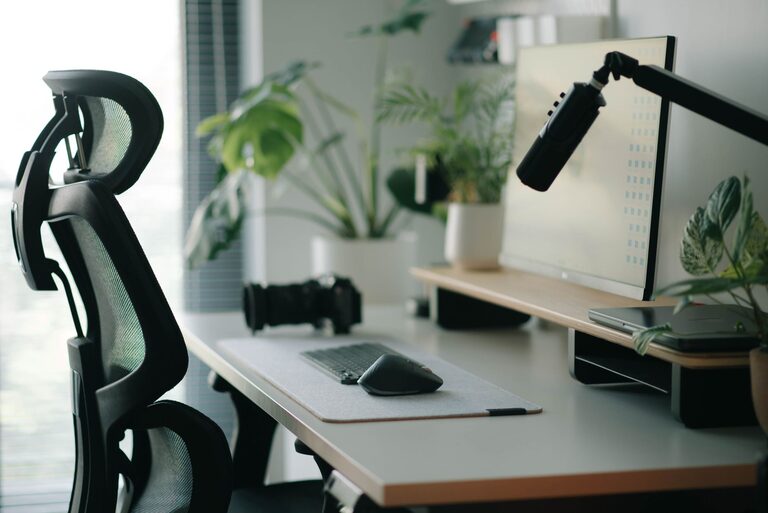
Having a well-organized and comfortable desk setup can significantly improve your focus and productivity. Whether you work from home or in an office, designing a workspace that minimizes distractions and supports your physical well-being is essential. In this post, we’ll explore practical tips to help you create a desk setup that promotes both comfort and concentration.
Why a Good Desk Setup Matters
Your desk is more than just a place to put your computer. It’s where ideas come to life, tasks get completed, and creativity flows. A cluttered or uncomfortable setup can lead to distractions, fatigue, and even physical discomfort.
By optimizing your desk arrangement, you can:
– Reduce physical strain and discomfort
– Minimize distractions and improve focus
– Increase overall efficiency and productivity
– Foster a positive and inviting work atmosphere
Choosing the Right Desk and Chair
Desk Height
A desk at the correct height helps maintain good posture. Your elbows should be at a 90-degree angle when typing or writing, with your wrists straight and relaxed. Adjustable desks can be ideal, allowing you to switch between sitting and standing.
Chair Ergonomics
Invest in a chair that supports your lower back and encourages good posture. Look for chairs with adjustable height, lumbar support, and comfortable cushioning. Sitting for long periods can strain your back, so a supportive chair is essential.
Position Your Monitor for Eye Comfort
Your computer screen should be positioned directly in front of you, about an arm’s length away. The top of the monitor should be at or slightly below eye level. This setup helps reduce neck and eye strain.
Using a monitor stand or adjustable arm can help you achieve the right height and angle, adapting your setup to your comfort needs.
Organize for Efficiency
Declutter Your Workspace
A tidy desk reduces visual distractions and helps keep your mind clear. Remove unnecessary items and only keep essentials within reach.
Use Storage Solutions
Drawers, shelves, and desk organizers keep supplies handy but out of the way. Labeling storage containers can speed up finding what you need.
Cable Management
Tidy cables not only look better but prevent tangling and accidents. Use clips, ties, or sleeves to bundle cords neatly.
Lighting Matters
Good lighting reduces eye strain and helps maintain alertness. Natural light is best, so position your desk near a window if possible. If natural light is limited, use a desk lamp with adjustable brightness and color temperature to mimic daylight.
Avoid glare on your screen by positioning light sources to the side or behind your monitor.
Add Comfort with Accessories
Keyboard and Mouse
Ergonomic keyboards and mice reduce wrist strain. Consider a keyboard with a wrist rest and a mouse that fits comfortably in your hand.
Footrest
If your feet don’t rest flat on the floor, a footrest can improve circulation and posture.
Personal Touches
Plants, photos, or artwork can make your workspace feel welcoming and inspire creativity—just be mindful not to create clutter.
Establish Healthy Work Habits
Take Breaks
Standing or stretching periodically reduces fatigue and keeps your muscles active.
Adjust Your Setup as Needed
Your comfort needs may change throughout the day or over time. Regularly assess your desk setup and make adjustments to stay comfortable.
Final Thoughts
Creating a desk setup that balances focus and comfort is a key step towards a productive workday. By paying attention to ergonomics, organization, lighting, and personal preferences, you can design a workspace that supports both your body and your mind.
Try implementing these tips gradually and notice how a thoughtful desk arrangement can improve your daily work experience. A comfortable and well-organized desk is an investment in your productivity and well-being.